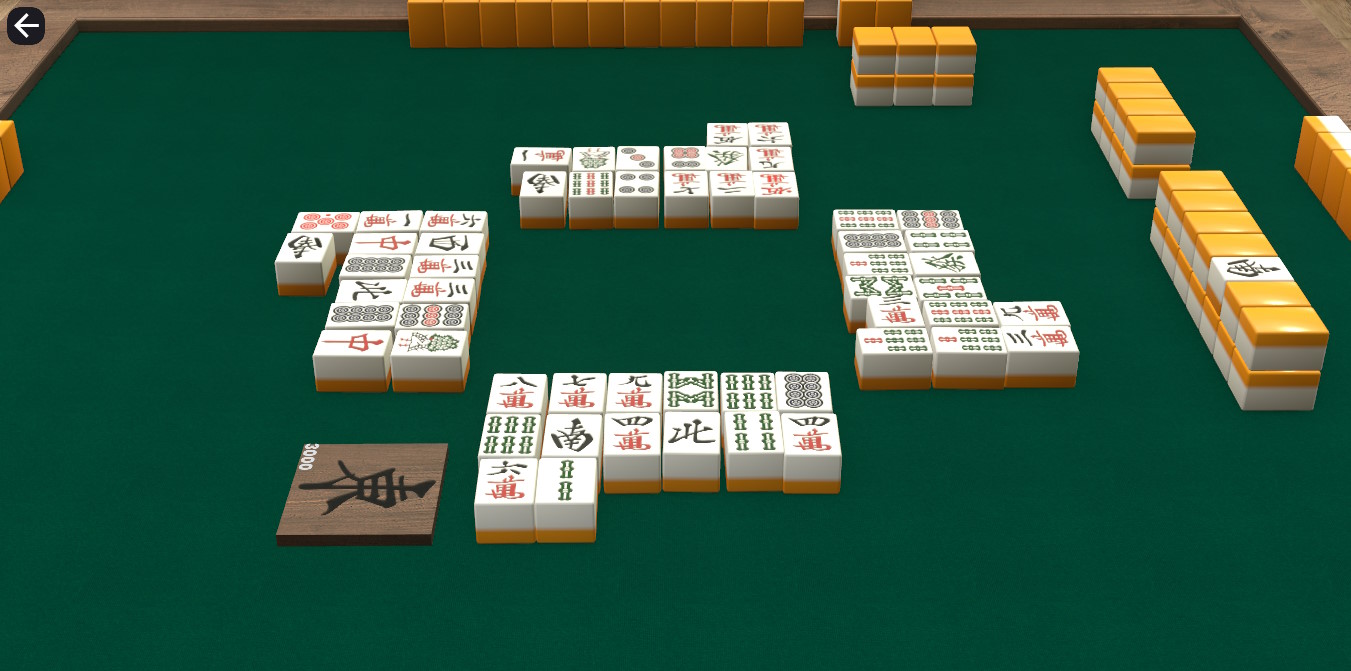
I wanted something for singleplayer people to do in my game, and a practice mode is an obvious choice.
There are many ways to practice Mahjong, with the "holy grail" being a normal game played against bots.
For a normal game played against bots, I would need a way for the AI to know how to play.
To give the AI ideas on how to play, they would need to know about tile efficiency.
To know about tile efficiency, I would need to calculate Shanten.
And thus, I had my chain of dependencies laid out before me.
The work on tile efficiency could also be transformed into another game mode, which is a favorite of mine: an Efficiency Trainer.
A full practice mode against AI would be a big hurdle, so I set my sights on the MVP: a singleplayer Mahjong Efficiency Trainer.
Shanten
The first step was writing some code to calculate Shanten.
Thankfully, there is already a very good write-up on the Riichi Wiki on this subject, so I didn't have to do much thinking myself.
I could also take some of my previous code that I had written for figuring out winning hands, though I did have to change it to fit the current subject.
Thanks to unit testing, I discovered some flaws in my logic when it comes to the "accurate Shanten", that is, if you consider when a hand is actually possible to complete.
Once I was sure it was working correctly, I could start working on my efficiency trainer.
I hadn't looked up how an efficiency trainer works, because that would have spoiled all the fun of making it myself, but I did recall how this one mentioned the shanten algorithm fairly prominently.
So, my idea was: whenever you have a list of tiles, for each tile, try removing each one, then add one of each possible draw and see how many have a lower shanten.
That is an easy explanation for a computationally complex algorithm, but the only way to know if/where it will need optimisation is to build it first.
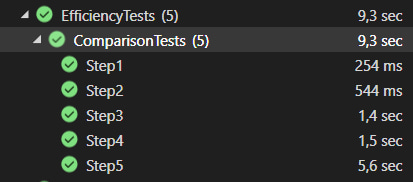
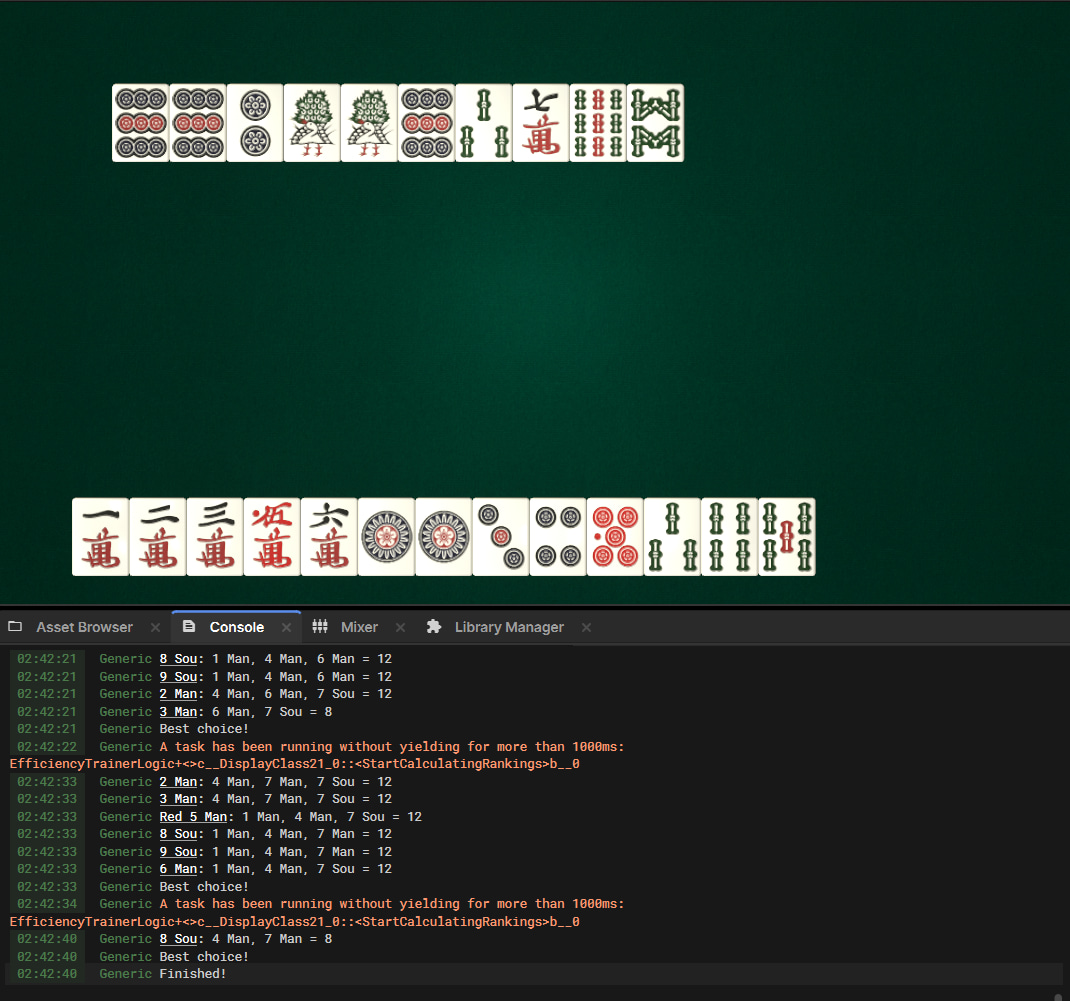
I had other efficiency trainers to compare with, so I just had to whip up some code to generate a list of results for a hand, and then see if my results line up with theirs.
Clearly the naive method was ...a bit slow. The good news is that the slowest step is when the hand is in Tenpai already, so theoretically it should never be executed.
Seeing as a player would probably take longer than 1 second to think about their discard, I figured this was good enough for now, and left optimization for later.
The Efficiency Trainer
I thought about how I wanted the trainer game to look like. I could go more realistic, but that would complicate the matter of showing feedback to the player.
Therefore, I decided to make a very simple view, so you can focus on thinking about your hand rather than moving your tiles around.
If I wanted to, I could always expand the simple view into a more realistic scene later.
With an initial version, I quickly realised that the poor performance was already a problem, and so I had to optimize it.
Because this was such a deeply complex algorithm, I figured the best way to optimize it was to skip as many tiles as possible, as high as possible in the loop.
Let's visualize the complexity a bit more so we can think about how to optimize it.
I'm not educated enough to calculate the big O number here, but I know this is bad.
My first idea was to reduce the number of possibleDraws, since for example a Man tile would never improve a hand with all Sou.
If you fine-tune this logic enough, you can ignore quite a few tiles in this step.
Unfortunately, that was a complete waste of time.
The time spent in my tests was virtually unchanged, if not slightly worse.
The problem was that as a hand gets closer and closer to completion, the amount of ways you could split it up increases dramatically.
I was simply going to have to change my approach to counting Taatsu, Groups and Pairs.
My next idea was to calculate all the possible hand shapes once, and then use that list to see if the possible draw tile could complete anything.
Then it should look something like this:
But I couldn't quite figure out how that would work. Instead I went another direction.
I decided to go against what I said earlier about optimizing at the top and instead optimize at the lowest level.
The problem was that the work extension was simply way too big, so I decided to trim the amount of work getting entered in the queue by doing a simple check first.
Before any item is processed in the work queue, I now check if it's even possible to beat the best score with the amount of tiles left.
For example, if a group only has 1 group and 8 tiles left, the best it could possibly be is 3 groups and 1 taatsu.
If we have already recorded a Shanten for a better hand, we can skip this branch and not explode those 8 tiles into hundreds of possibilities.
In order for that to work, I also had to change data structure for the work queue.
Instead of being a simple FIFO Queue<T>, I quickly rolled together a simple class which has one Queue for each score, so I can focus on the lowest scoring items.
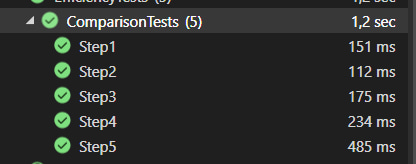
After some work to make sure my "best possible shanten" function was working properly, I'd now improved the runtime quite a bit!
Still not super fast, but a quick playtest felt completely fine unlike last time. I was satisfied with these gains.
I had added some logging earlier, so we can compare some numbers directly; For the longest test which is actually relevant (remember: step 5 means the hand is already in Tenpai, and won't be executed) here is the comparison:
Description
Variants fully explored
Runtime
Before + ScoredStack<T>
2,605,447
3.3 seconds
Optimized
9,398
0.3 seconds
With the optimizations satisfactorily complete, I could now focus on the interface.
I had a hard time designing the UI for the efficiency trainer.
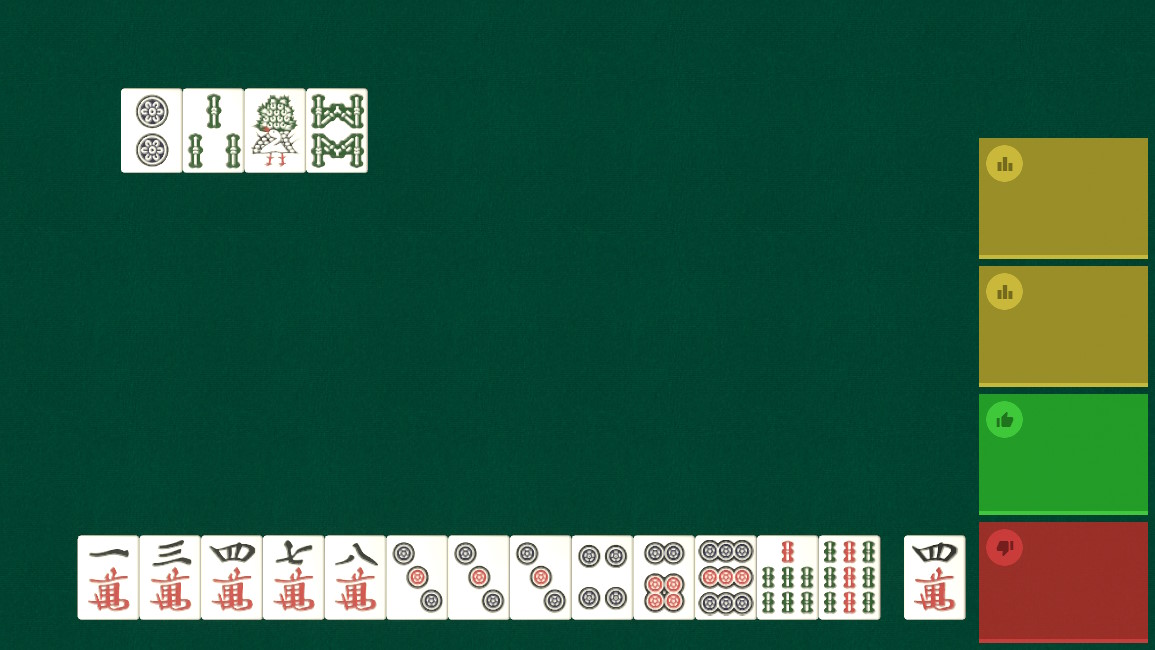
I got the idea to have your past turns appear as little toasts on the right, but designing the toast itself was a challenge.
Not sure what's going on with the exposure in this screenshot, and that was a problem for later.
The problem was that I need to put a bit of information into each toast.
Figuring out exactly which information I needed in each toast and how to lay it out led me towards a simpler solution.
I could just display the minimal amount of information (best/meh/bad) next to each tile and then let the player click for more info.
Having a separate dialog for more info was always part of the plan anyway, and this would save me some thinking work.
Unfortunately, I ran into a bug when trying to get that to work, so I settled for something inbetween: The toasts would only display an icon with a click to display more info.
After I got the toasts to work, history included, I played with the idea of bringing the bubbles on each tile back.
You can only fit so many toasts on a screen, and that way you would be able to see the full history.
However, I couldn't reconcile the rest of the UI with this idea.
There's a victory screen displayed in the middle of the screen which could in theory cover up some tiles and render their logs inaccessible.
So, I left the UI as it is. After I first published it I did some minor tweaks and made a small patch release, but it worked really great.
vs. AI
I had no idea what parts of my game was going to work with bots and not, so I decided to just duplicate my multiplayer scene, delete the multiplayer lobby and work on each issue as it arose.
This ended up being pretty straightforward. I didn't have to duplicate as much code as I feared, mostly stuff around how the bot thinks about Tenpai and Tsumo and such.
The versus bots mode has now been released. The bots will only play for efficiency with closed hands, and declaring Riichi before either trying to win on their own draw or claiming someone else's discard.
You can make the game easier by turning down the chance that they will pick the most efficient discard and by giving them a chance to discard something which increases their Shanten.